
Vacation Mode Explained: Conserve Energy, Protect Your Home, and Come Home to Plenty of Hot Water
PRODUCT UPDATE
Aug 10, 2026: New Vacation Mode features!
We’ve refined how Vacation Mode handles trips of different lengths, so it’s smarter about when to save energy and when to prioritize safety. Here’s how it all works now.
Leaving town brings up a question about your water heater: do you shut it off completely and risk a cold shower on the first day back, or leave it running as usual and pay to heat water nobody’s using? Then there’s another worry: what if something goes wrong while the house is empty?
Reservoir’s Vacation Mode is built to handle all of it. Here’s exactly what it does and how to set it up so it works the way you want.
What Vacation Mode actually does
When you turn on Vacation Mode, your Reservoir tank changes its behavior in three ways:
It checks for leaks and freeze risk more often. Nobody’s home to notice a slow drip or a cold snap, so the tank watches more closely on your behalf.
It optimizes heating around your return date. The tank coordinates when it heats water with when you’ll actually need it, so it isn’t burning energy to keep a full tank hot when you’re not home.
It avoids the “danger zone” for bacterial growth. Water sitting in a certain temperature range for too long gives bacteria like Legionella a chance to grow. Your tank is built to avoid parking in that range for extended periods, even while it’s optimizing for savings.
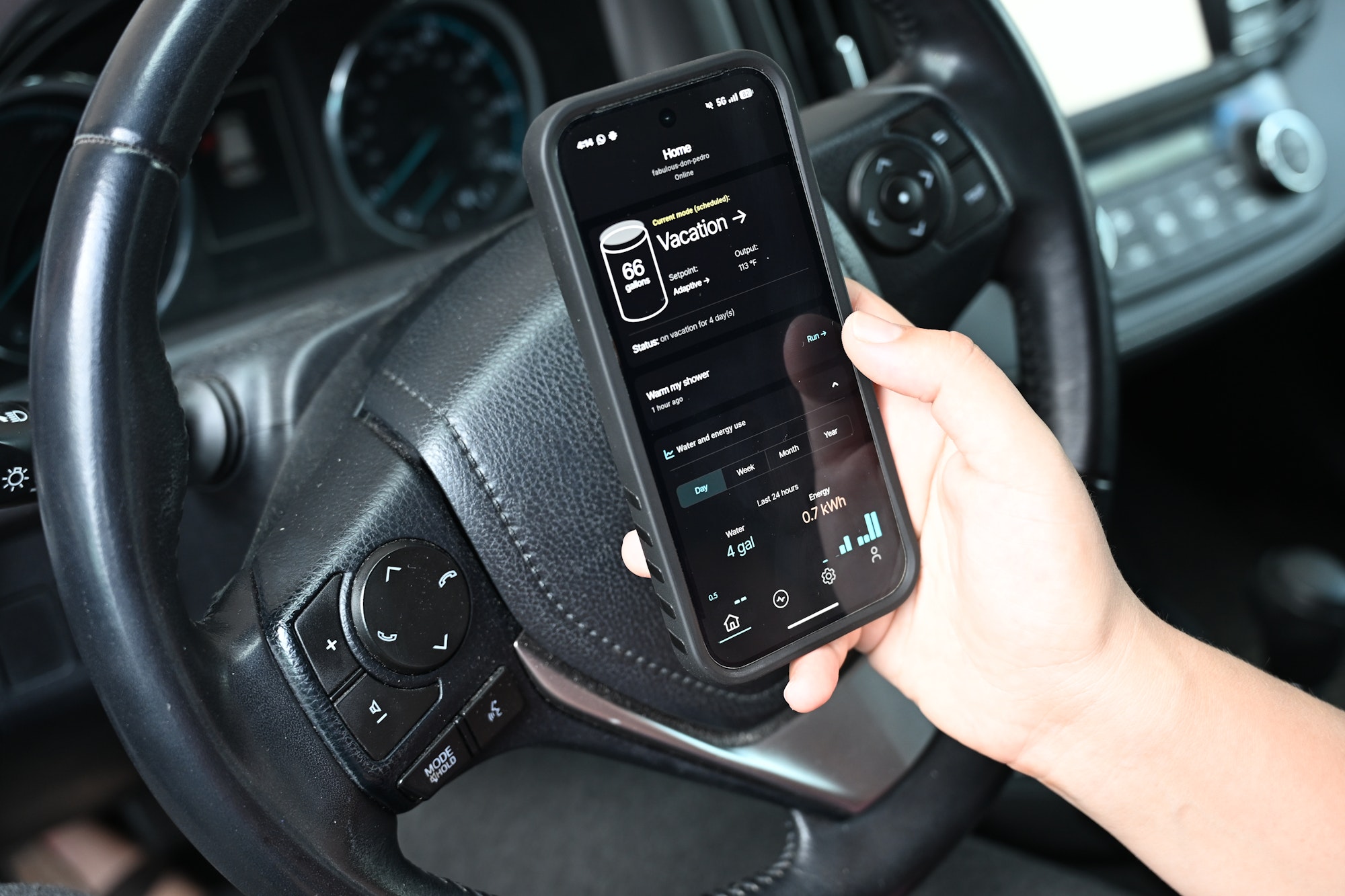
You can switch between Modes on the Reservoir app. If you forget to set Vacation Mode before you leave, not to worry–you can do it from anywhere.
The setting that makes it work: Adaptive Setpoint
Vacation Mode’s energy savings depend on one other setting: Adaptive Setpoint. Instead of holding your tank at one fixed temperature, Adaptive Setpoint lets the system choose the temperature dynamically based on conditions, like whether you’re away, and for how long.
This matters because Vacation Mode uses Adaptive Setpoint to decide when it’s safe and efficient to let the tank cool down. If you turn Adaptive Setpoint off, Vacation Mode still runs; it’ll still check for leaks and freeze risk, and it’ll still avoid the bacterial danger zone by self-cleaning after you return. What it won’t do is optimize your energy use while you’re away, even if you’ve set a return date. You’ll get the protection, just not the savings.
How to set it up, based on your trip
If you know your return date: Set your setpoint to Adaptive, switch to Vacation Mode, and enter your return date. If the trip is longer than about 10 days, Reservoir will let the tank cool, and reheat it so you come home to a full tank of hot water, without paying to keep it hot the whole time you weren’t there to use it. If the trip is shorter, the tank will run the minimum temperature needed to keep the tank safe. That’s on purpose: for a short trip, the energy saved by letting the tank cool doesn’t outweigh the risk of parking water in the bacterial danger zone and then reheating it.
If you don’t know your return date: Enable Vacation Mode without entering an end date, and Reservoir will pause water heating until you turn it back on, while still keeping Home Protect features like leak and freeze detection active.
If you’re gone… | Settings to choose | What happens |
|---|---|---|
Fewer than 10 days | Setpoint: Adaptive Mode: Vacation with set schedule | Tank maintains a minimum temperature, avoiding the danger zone for bacterial growth |
More than 10 days | Setpoint: Adaptive Mode: Vacation with set schedule | Tank cools, then reheats and sanitizes before you’re back |
Indefinitely | Setpoint: Adaptive Mode: Vacation without set schedule | Water heating pauses until you turn it back on |
Why the 10-day line exists
Why doesn’t Reservoir let the tank cool every time you’re away? For short trips, it’s not worth the tradeoff. Reheating a fully cooled tank means passing back through the bacterial danger zone, and for a weekend or a short week away, that risk isn’t worth the modest savings. Ten days is roughly where the energy saved by cooling down outweighs that risk. Below that line, it’s better to come home to a safe tank than a marginally cheaper one.
Quick setup steps
Open the Reservoir app.
Set your tank temperature setpoint to Adaptive.
Toggle on Vacation Mode. Enter your return date, or leave it blank if you’re not sure when you’ll be back.
That’s it. Your tank handles the rest.
The upshot
Vacation Mode tells your Reservoir to monitor your pipes, conserve energy, and get plenty of hot water ready for your return, all with one easy thing to check off before you lock the door behind you.
Ready to ask more of your water heater? Take our Virtual Assessment to find out if Reservoir will work in your home.